

Last verified: 26 October 2026, against current GSTN advisories, including the October 2025 IMS changes and the Bill of Entry advisory dated 30 October 2025. The portal evolves, so confirm the live screens and current rules before acting.
This is general information on GST compliance as of 26 October 2026, not individualized tax advice. IMS functionality and rules change through GSTN advisories and portal updates. Confirm the current position on the GST Portal and with a qualified GST practitioner before relying on any action.
On this page
Open the GST Portal during month-end and you may find a list of supplier documents waiting in IMS: some match your purchase register, some carry discrepancies, and some need a word with the supplier before you can decide. The Invoice Management System is where you record that decision.
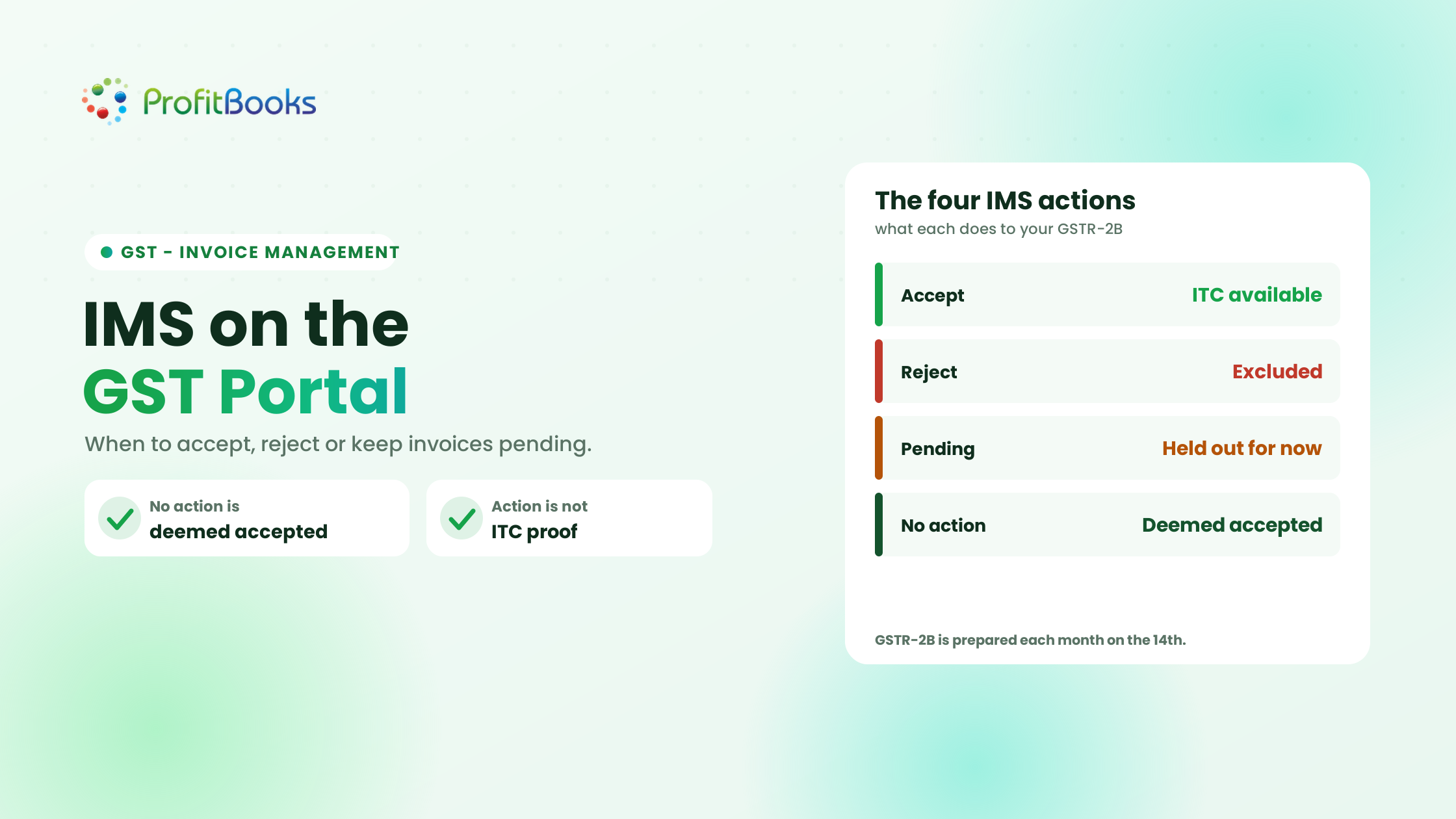
The Invoice Management System (IMS) lets a recipient review supplier-reported documents and take an action that affects how those documents are treated when GSTR-2B is generated. The four possibilities are Accept (verified and correct), Reject (incorrect or not yours as reported), Pending (needs clarification, where the option is available), and No Action (left untouched, which is generally treated as deemed accepted). None of these is, by itself, proof of ITC eligibility.
- Accept: use when the document has been checked and its details are correct.
- Reject: use when the document is incorrect or does not represent your transaction as reported.
- Pending: use when verification or clarification is needed and the pending option is available for that document.
- No Action: leaving a record untouched is different from marking it pending; no-action records are generally deemed accepted when GSTR-2B is generated, subject to the applicable rules.
Whichever action you take, it records a decision on the portal. It does not establish that the credit is legally claimable, so you still verify the GST conditions and your supporting records separately. For the basics of the statement IMS feeds, see the ProfitBooks guide to GSTR-2B.
What Is the Invoice Management System (IMS) in GST?
IMS is a facility on the GST Portal, introduced in October 2024, that sits between a supplier’s outward filing and the recipient’s GSTR-2B. When a supplier reports a document, it appears on the recipient’s IMS dashboard, where the recipient can review it and take an action before GSTR-2B is generated. In that sense, IMS is a control layer, and GSTR-2B is the output it feeds.
Why was IMS introduced?
IMS gives recipients a chance to review supplier-reported invoices and documents before the corresponding records are processed into GSTR-2B. In practice it helps businesses identify mismatches earlier, review what suppliers have reported, coordinate corrections with suppliers, and improve reconciliation between portal data and the purchase register. It does not eliminate reconciliation work or guarantee compliance; it makes the portal’s version visible so differences can be caught early.
Which documents can appear in IMS?
Records reported by suppliers through GSTR-1, GSTR-1A, and the Invoice Furnishing Facility (IFF), as applicable, can appear in IMS, along with credit and debit notes and, from the October 2025 period, Bill of Entry details for imports. Not every purchase-related record necessarily flows through IMS in the same way; some follow separate workflows or move directly into GSTR-2B. Check the current official list of covered documents and exclusions, because the coverage has expanded over time.
How to Access the IMS Dashboard on the GST Portal
The general navigation is below. Menu labels and available actions can change as the portal evolves, so confirm the live screens before relying on any step:
- Sign in to the GST Portal with your GST credentials.
- Go to Services, then Returns, then the Invoice Management System (IMS) Dashboard.
- Select the relevant return period and review the records displayed.
- Compare the documents against your purchase register and supporting records.
- Choose the appropriate action where it is available for that record.
Accept vs Reject vs Pending vs No Action in IMS
Keep this as a quick reference whenever you are reviewing a document:
| Action | When it may be appropriate | What the recipient should do |
|---|---|---|
| Accept | The document is verified and the reported details match the transaction | Confirm the record, then assess ITC eligibility separately |
| Reject | The document is incorrect or does not relate to you as reported | Verify the discrepancy and coordinate a correction with the supplier |
| Pending | The record needs clarification and the pending action is permitted for it | Track the issue and resolve it promptly within the allowed period |
| No Action | No explicit decision has been recorded | Remember that no action is generally treated as deemed acceptance when GSTR-2B is generated |
Three points matter alongside the table. First, the exact consequences depend on the document type and the applicable IMS rules. Second, No Action is not the same as Pending: one is the absence of a decision that defaults to acceptance, the other is an active choice to exclude the record for now. Third, acceptance in IMS does not, by itself, establish a legal entitlement to claim ITC.
When Should You Accept an Invoice in IMS?
Acceptance should follow verification, not simply the appearance of an invoice on the dashboard. An accepted record flows into the ITC-available information in GSTR-2B, so accept only after you have checked the document against your records.
Situations where accepting an invoice makes sense
Accepting is reasonable when the supplier GSTIN and your recipient details are correct, the invoice number and date match the document you received, the taxable value and tax amounts reconcile, the purchase is supported by business records, the goods or services and other relevant details have been checked, and the transaction has been assessed against the applicable ITC conditions.
Checklist before accepting an invoice
- Supplier name and GSTIN.
- Invoice number and date.
- Taxable value and GST breakup.
- Purchase order or contract, where applicable.
- Goods receipt or service confirmation, where relevant.
- Purchase ledger and supporting documentation.
- ITC eligibility and any applicable restrictions (input tax credit conditions).
Practical example: a correct purchase invoice
A business buys equipment for ₹50,000 plus ₹9,000 GST. The invoice appears in IMS, the supplier GSTIN and invoice details match the document received, and the purchase is supported by a goods-receipt note and the purchase ledger. After confirming the ITC conditions apply, the recipient can consider accepting it. The example illustrates a verification workflow; it is not a universal legal conclusion that the credit is claimable, which still depends on the statutory conditions.
When Should You Reject an Invoice in IMS?
Rejection is appropriate when the record is incorrect or does not represent your transaction as reported. A rejected record is removed from your available ITC in GSTR-2B. Because getting that credit back depends on the supplier taking corrective action, verify before you reject.
Common reasons for rejecting an invoice
Typical cases include an invoice that belongs to a different GSTIN, reported details or tax amounts that are incorrect, a duplicate document, a record you cannot match to your books after investigation, or an amendment that contains incorrect information. A discrepancy does not automatically prove fraud or invalidity; it may simply need supplier clarification or a correction. Where a minor error can be fixed by the supplier through a credit note, debit note, or amendment, coordinating the fix is often better than an outright rejection.
What happens after you reject an invoice?
Rejecting removes the record from your ITC-available information for that period, and the rejected record is visible to both you and the supplier. Rejecting does not automatically correct the supplier’s return, so inform the supplier about the discrepancy. The correction route depends on the document type, the supplier’s filing status, and the applicable GSTN procedures; a supplier amendment through GSTR-1A can generate a fresh IMS record that needs a new action.
Practical example: an invoice with the wrong GSTIN
An accountant spots a record in IMS whose recipient GSTIN is not the business’s own. They check the invoice and purchase records, confirm it does not relate to their transactions, and contact the supplier to correct the GSTIN in the supplier’s return. Only after that investigation do they decide on the IMS action. Rejecting the record does not fix the supplier’s return by itself; the supplier still has to amend it.
When Should You Keep an Invoice Pending in IMS?
Pending is for situations where you need more time or information to decide, provided the option is available for that record. A pending record is generally excluded from GSTR-2B until it is dealt with, so it is an active exclusion, not a safe default.
Common reasons to keep an invoice pending
- The invoice value differs from the purchase register.
- Goods receipt or service confirmation is outstanding.
- The supplier has been asked to clarify a discrepancy.
- An amendment or credit note needs to be checked.
- The finance team is waiting for confirmation from procurement.
What happens to pending invoices?
A pending record is generally kept out of the relevant GSTR-2B until you act on it. Pending is not available for every document or amendment; special rules apply to specific record types, and the pending option is time-limited. From the October 2025 period, where pending is allowed, it can be held for one tax period (a month for monthly filers, a quarter for QRMP filers), tied to the GSTR-3B due date of the following period. After that window, the pending option is disabled and you must accept or reject, and if you still take no action the record is generally deemed accepted.
How to manage pending invoices
- Record the reason for the pending status.
- Assign a person responsible for resolution.
- Contact the supplier or the relevant internal team.
- Track the outstanding issue against the allowed pending window.
- Review and take the appropriate action before the relevant return is filed.
Practical example: a purchase awaiting verification
An invoice is visible in IMS, but the purchase team has not yet confirmed that the goods were received. The finance team keeps the record pending, logs the reason and an owner, and follows up with procurement. Once receipt is confirmed, or the discrepancy is resolved, they accept or reject it within the allowed window rather than leaving it to default treatment.
What Happens If You Take No Action in IMS?
Leaving an invoice untouched is not the same as selecting Pending. No-action records are generally deemed accepted when GSTR-2B is generated, so an untouched record does not stay on hold; the portal treats it as agreed. Deemed acceptance still does not establish ITC eligibility by itself, which means records should be reviewed systematically rather than left to default treatment.
Illustrative example: an invoice carries an incorrect tax amount but is never reviewed in IMS. When GSTR-2B is generated, it can be deemed accepted and flow into the ITC-available information, even though the figure is wrong. The recipient should identify and resolve the discrepancy before GSTR-2B is generated, rather than rely on the default status to protect them.
How Does IMS Affect GSTR-2B, GSTR-3B and Input Tax Credit?
IMS actions decide which records are considered when GSTR-2B is generated, and GSTR-2B in turn feeds the ITC figures a taxpayer uses to prepare GSTR-3B. The chain runs from the supplier’s filing, through your IMS action and the resulting GSTR-2B treatment, to your ITC eligibility review and GSTR-3B filing.
How IMS actions affect GSTR-2B
Accepted and deemed-accepted records are included in the ITC-available information in GSTR-2B. Rejected records are excluded from available ITC. Pending records are generally kept out of GSTR-2B until they are acted on. GSTR-2B is generated each month on the 14th (quarterly for QRMP filers), and it can be recomputed when you change IMS actions before filing. Verify the exact treatment for the specific document types you are handling, as credit notes and amendments follow their own rules.
How GSTR-2B relates to GSTR-3B
GSTR-2B is an auto-drafted statement that shows eligible and ineligible credit information for the period. It is an input to GSTR-3B, not a substitute for your own work: you still reconcile the statement against the purchase register and prepare GSTR-3B on the basis of credit you have verified as eligible.
Does accepting an invoice guarantee ITC?
No. Accepting a record in IMS, or having it deemed accepted, does not override the statutory conditions, restrictions, and documentation requirements for ITC. Portal status and substantive eligibility are separate matters, and the time limit under Section 16(4) and the restrictions under Section 17(5) continue to apply.
Can you change an IMS action later?
Generally yes, before you file the corresponding GSTR-3B. You can change an action and recompute GSTR-2B up to that point. Filing the GSTR-3B for the period locks the actions that fed it, so corrections after filing usually depend on the supplier amending the record, which creates a fresh IMS entry for a new action.
How to Handle Credit Notes and Amended Invoices in IMS
Credit notes and amendments need more care than ordinary invoices because they change a position you may have already taken.
Accepting or rejecting credit notes
A credit note can reduce the ITC you earlier availed, so its treatment must be checked against the original transaction and the applicable rules. Verify whether the related ITC was availed, whether a reduction or reversal is required, and whether the record matches the underlying transaction. Not every credit note results in the same ITC adjustment, so assess each on its facts.
Handling amended invoices and debit notes
For an amended invoice or a debit note, compare the amended details against the original record, identify exactly what changed, and treat it as a change to that original rather than as an unrelated new purchase. Mapping the amendment to the right original document keeps the ITC position consistent.
Newer IMS rules and functionality (October 2025)
From the October 2025 tax period, GSTN extended IMS functionality. The Pending action was made available for certain records that previously could not be kept pending, such as credit notes and specified amendments, within a defined time window. On accepting a credit note or a covered amendment, the portal asks whether ITC needs to be reduced, with options for no reduction, full reversal, or a partial reversal where the recipient declares the amount. A remarks field is available when rejecting or keeping records pending, and remarks are mandatory for the partial-reversal and no-reversal cases. These features apply to specific document types and actions, so confirm which records they cover on the current portal rather than assuming they apply universally.
Bills of Entry and Other Special IMS Cases
Imports follow a specific IMS workflow and should not be treated like ordinary domestic supplier invoices. Through the GSTN advisory dated 30 October 2025, an Import of Goods section was added to IMS for Bill of Entry (BoE) records, including bills of entry relating to imports from Special Economic Zones, from the October 2025 period onwards.
- The Import of Goods section lists BoE records so recipients can review and take the system-permitted action on each.
- The draft GSTR-2B, prepared each month on the 14th, reflects BoEs that are accepted or deemed accepted.
- If a BoE’s GSTIN is amended, the recipient must reverse the corresponding ITC under GST law, and IMS flags these reversals for action.
- Reconcile import documentation against the BoE records rather than assuming the portal data is complete.
Certain other records may follow separate processes or flow directly into GSTR-2B without appearing in IMS. Check the latest official advisory for the current functionality before relying on it, since the import workflow is recent and still settling.
Step-by-Step GST IMS Reconciliation Checklist
A repeatable monthly workflow keeps IMS review from slipping:
- Open IMS and select the relevant period.
- Compare supplier-reported documents with the purchase register.
- Verify supplier GSTIN, invoice number, date, taxable value and GST.
- Match invoices to purchase orders, goods receipts or service records where relevant.
- Identify missing, duplicated, amended or disputed documents.
- Accept verified records where appropriate.
- Reject incorrect records after investigating the discrepancy.
- Keep unresolved records pending only where permitted, within the allowed window.
- Track supplier follow-ups and outstanding items.
- Review credit notes and amendments separately.
- Check the resulting GSTR-2B.
- Reconcile portal information with the books and assess ITC eligibility before filing GSTR-3B.
Assign an owner and a follow-up date to each unresolved discrepancy, so records do not sit in IMS unresolved until the filing deadline forces a rushed decision.
Common Mistakes to Avoid While Using IMS
- Treating Accept as automatic ITC approval.
- Confusing No Action with Pending.
- Rejecting an invoice before investigating the mismatch.
- Leaving records pending without a follow-up process or beyond the allowed window.
- Ignoring credit notes or amended invoices.
- Assuming every document has identical action options.
- Reviewing IMS without reconciling it against the purchase register.
- Waiting until return-filing time to resolve supplier discrepancies.
Frequently Asked Questions About GST IMS
What is IMS in GST?
IMS, the Invoice Management System, is a GST Portal facility where a recipient reviews supplier-reported documents and takes an action (accept, reject, or keep pending) that affects how those records are treated when GSTR-2B is generated.
How do I access IMS on the GST Portal?
Sign in to the GST Portal and go to Services, then Returns, then the Invoice Management System (IMS) Dashboard. Menu labels can change as the portal evolves, so confirm the live navigation.
What happens if I take no action on an invoice in IMS?
A no-action record is generally deemed accepted when GSTR-2B is generated, subject to the applicable rules. It does not stay on hold, and deemed acceptance does not by itself establish ITC eligibility.
What is the difference between Accept and No Action in IMS?
Accept is an explicit decision that the record is correct. No Action is the absence of a decision, which the system generally treats as deemed acceptance at GSTR-2B generation. The outcome can be similar, but No Action skips your review.
Does accepting an invoice in IMS guarantee ITC?
No. Acceptance records a decision on the portal; it does not satisfy the statutory ITC conditions, the Section 17(5) restrictions, or the Section 16(4) time limit. Those eligibility checks are separate.
Can I change an IMS action later?
Generally yes, before you file the corresponding GSTR-3B, and you can recompute GSTR-2B up to that point. Filing the GSTR-3B for the period locks the actions that fed it.
Do pending invoices appear in GSTR-2B?
A pending record is generally excluded from GSTR-2B until it is acted on. Pending is time-limited and not available for every document, so document-specific rules apply.
Can every invoice be kept pending?
No. Availability of the pending action depends on the document type and the applicable rules. From October 2025 it was extended to certain credit notes and amendments, within a defined window, but it is not universal.
What happens when I reject an invoice in IMS?
The record is removed from your ITC-available information in GSTR-2B and is visible to the supplier. Rejecting does not correct the supplier’s return, so coordinate the correction with the supplier.
Does IMS replace GSTR-2B reconciliation?
No. IMS is one step in the workflow. You still reconcile GSTR-2B against your books and assess ITC eligibility before filing GSTR-3B.
Conclusion: Make IMS Part of Your Regular GST Reconciliation
The decision rules are simple to state: accept records you have verified, reject records that are incorrect after checking the facts, keep records pending only where the option is available and clarification is needed, and never treat no action as the same as an explicit pending status. Then reconcile IMS and GSTR-2B against your accounting records before filing GSTR-3B.
Run this as a consistent monthly process and discrepancies surface early, suppliers can be chased in time, and the business is better prepared for return filing and for the annual return. Treated as an afterthought, IMS is where credit quietly slips away through deemed acceptance; treated as routine, it is a useful early-warning layer.
Disclaimer: This article is general information as of 26 October 2026 and is not individualized tax advice. IMS rules and portal functionality change through GSTN advisories. Confirm the current screens, document coverage, and action rules on the GST Portal and with a qualified GST practitioner before acting.
Keep your purchase records ready for IMS review
ProfitBooks helps small businesses maintain clean sales and purchase records with an audit trail, so matching supplier-reported documents against your books during IMS review is a structured check rather than a monthly scramble.