Choosing The Best Inventory Management Software
On this page 4 sections
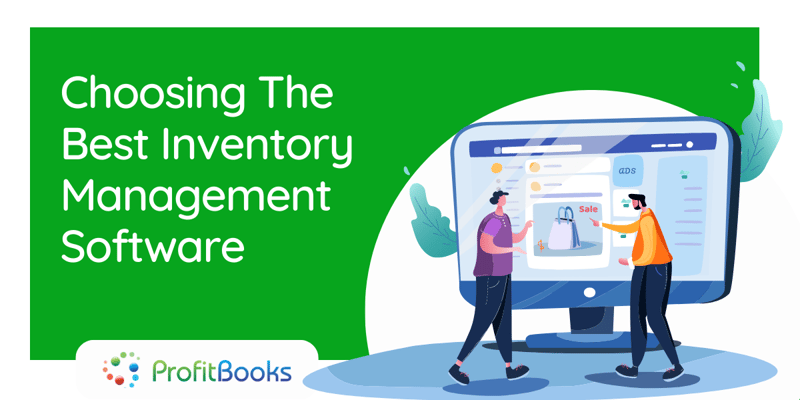
If you own a small business, you know how time-consuming and expensive inventory management can be.
Managing inventory manually is very labor-intensive. There is a large amount of data that we need to keep track of.
Also, aren’t you done with the “Excel sheet life” by now? Those sheets have been a nightmare for several years and entering data into them has been quite a task always. It’s time to upgrade that lifestyle and switch to an easier approach.
Today, people use software for every little task they perform. Whatever saves our time without compromising with the quality is the option we choose.
So why not for inventory, right?
Moreover, an automated system will give you better results. Increasing tracking efficiency will lead to better business decisions. The better the information, the greater the efficiency.
Common Problems in Inventory Management System
First and foremost, let’s have a look at some common problems faced in the inventory system:
-
Old product: Products that are not shipped often or
are expired
.
-
Inconsistent data: Information about products kept on shelves does not match the information mentioned in the entry
-
No clue: Your employees do not have proper knowledge about the stock items and delivery.
-
Too much stuffing: Too much stuff is kept on the shelf with the thought that it will
eventually
be purchased
. Not strategizing the
purchase
of goods.
-
Over SKU: Not keeping your stuff organized in your warehouse. Then
accidentally
scanning the wrong SKU when reordering or picking products.
Using inventory management software will help you with all the above issues. This will finally result in less time consumption and more productivity.
Analyze Your Inventory Management Software
-
Synchronize stock levels across warehouses, stores, and channels (online)
-
Manage purchasing and receiving
-
Manage lots,
expiration
dates, serial numbers, and pre-orders
-
Allow for movement of stock from one place to another (between stores, warehouses, etc).
-
Ability to set product variants and composites
-
Manage one central catalog to avoid double data entry
-
Apply store discounts
-
Setup special prices for particular customer groups
-
Manage taxes for different cities, countries, or states
-
Track and record wholesale stock and sales
-
Gain more control over your stock i.e.
easily
create and email stock orders to suppliers
-
Manage product returns
Benefits of Using a Good Software
There are many benefits if you have good software. Some of the main benefits are as follows:
-
It improves the accuracy of inventory orders. Proper management helps you figure out exactly how much inventory you need to have on hand. Both, having a product shortage or a huge quantity of products in your warehouse are not ideal conditions.
-
It leads to a more organized warehouse. If your warehouse is not organized, you just cannot manage your inventory. Many companies choose to optimize their warehouses by putting the highest-selling products together and in easily accessible places in the warehouse. This, in turn, helps speed up the order fulfillment process and keeps customers happy.
-
Saves time and money. Inventory management can have real-time and monetary benefits. By keeping track of which products you have on hand or ordered, you save yourself the effort of having to do an inventory recount to ensure your records are accurate. It helps you save money that could have been wasted on other products.
-
It keeps your customers coming back for more. It's a fact that good inventory management leads to what you are constantly striving for repeat customers. If you want your hard-earned customers to come back for your products and services, you need to be able to meet customer demand quickly. Inventory management helps you meet this demand by allowing you to have the right products on hand as soon as your customers need them.
All these benefits will take your business to heights you would never imagine. But to avail these benefits and enjoy proper business growth, your software should be the best one.
Final Thoughts
Also Read: