Startup
For trying it out or very small volumes
₹0forever
Start free
- 1 user
- 10 invoices a month
- 10 journal vouchers a month
- Basic financial reports
- 1 warehouse
Compare Intuit QuickBooks with ProfitBooks
ProfitBooks and Intuit QuickBooks are both cloud accounting software, built for different owners. ProfitBooks suits small businesses without an accounting background and is sold and supported in India. QuickBooks Online closed in India in 2023 but is sold elsewhere, with more integrations and feature depth for owners who know accounting.
Free plan with no time limit. No credit card needed to try it.
Summary of our ProfitBooks vs QuickBooks guide
Plan facts come from each product's pricing page. Ease of use and support come from our own test of both.
| What you need | ProfitBooks | Intuit QuickBooks Online |
|---|---|---|
| Available in India | Yes. Built in Pune, with GSTR-1 and GSTR-3B from the Essential plan | No. The India service closed on 30 April 2023 |
| Free option | Free Startup plan with no time limit (1 user, 10 invoices a month) | 30-day free trial of the paid plans |
| Users included | 1 on Startup and Essential, 10 on Growth, 25 on SMB Pro | 1 on Simple Start, 3 on Essentials, 5 on Plus, 25 on Advanced |
| Inventory | Every plan: 1 warehouse free, 3 on Growth, unlimited on SMB Pro | Listed from the Plus plan |
| Learning curve | Short. Built for owners who are not accountants | Steeper without accounting knowledge |
| Third-party apps | Fewer; payment links through Instamojo, Razorpay or Cashfree | Hundreds of app connections |
| Accountant familiarity | Less known; accountants work from the standard reports | Widely known among accountants |
| Help | In-app chat in 3 languages, Monday to Friday, plus an optional bookkeeping service | Support and a large knowledge base; our tester found replies mixed |
QuickBooks plan details from quickbooks.intuit.com/pricing (US plans), checked 2 November 2026. Ratings of ease of use, apps and help are from our ProfitBooks vs QuickBooks guide. Prices change, so check both pricing pages before you buy.
Each tab gives an honest answer, including where QuickBooks comes out ahead.
ProfitBooks is easier to learnProfitBooks
Our tester created a first invoice in about 15 minutes, without watching a tutorial. Entries are in plain words and the double entry is posted for you.
Polished but packed with options. The first invoice took about four times longer, and basic tasks needed searching in the first week.
More logins on a mid-tier planProfitBooks
Growth includes 10 users and SMB Pro 25 with custom roles, such as Sales, Accountant or Inventory Manager. Each person sees only their screens.
Simple Start has 1 user, Essentials 3 and Plus 5. Advanced covers 25 users.
Stock from the free plan upProfitBooks
Purchase orders, sales orders, production and wastage on every plan. One warehouse free, three on Growth, unlimited on SMB Pro.
Inventory tracking is listed from the Plus plan. Our guide notes stronger inventory on its higher plans.
QuickBooks connects to more appsQuickBooks
Covers the common needs: payment links through Instamojo, Razorpay or Cashfree, and Excel export of almost every report.
Hundreds of app connections, from ecommerce platforms to CRM systems. If your business runs on many tools, this counts.
More accountants know QuickBooksQuickBooks
Invite your accountant as a user, or give your auditor read-only access on SMB Pro. Ledgers, journals, trial balance and GST reports are standard.
Widely used by accountants, so many already know where everything is. Worth weighing if your accountant prefers it.
The short answer from our guide: pick the software you will actually open every day.
QuickBooks Online is not available to businesses in India.
Create invoices and estimates, record expenses and follow stock from purchase order to sale. Your Profit and Loss and GST reports update as you go.
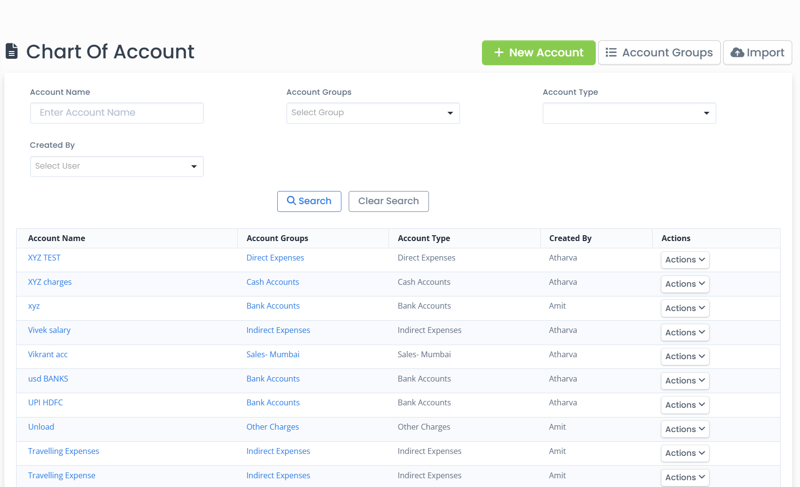
Our remote bookkeeping service records your transactions for you. Send bank statements, invoices and expense bills, and a dedicated accountant keeps your books and tax reports up to date.
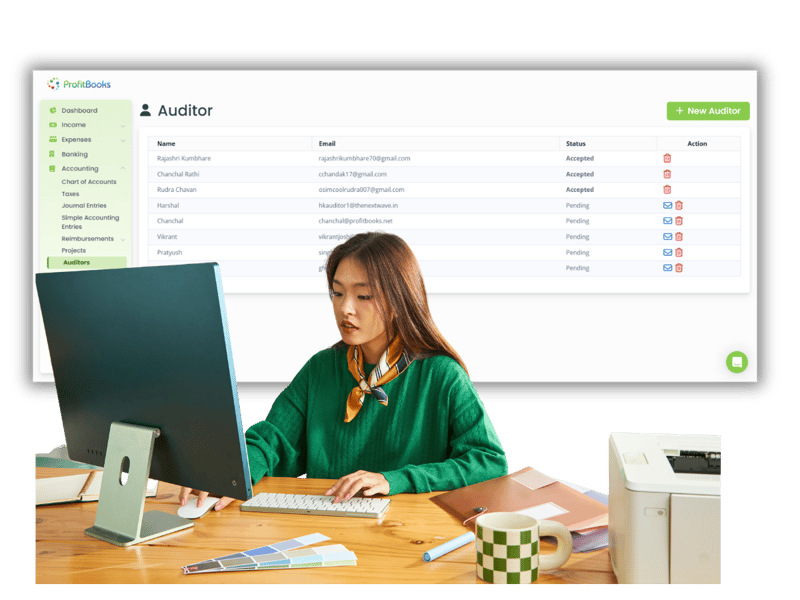
A short walkthrough of invoicing, expenses, inventory and reports.
We only win when you do. From the day you sign up, real people and practical resources are on your side.
Every new account starts with a free 15-day SMB Pro trial, then moves to the free Startup plan unless you upgrade.
For trying it out or very small volumes
For solopreneurs filing GST
For growing teams and service firms
For established businesses
Prices exclude GST. Pay by card, net banking, American Express or PayPal. Compare every feature →
1,00,000+ businesses in 100+ countries keep their books on ProfitBooks.
“Very convenient to make customer invoices and apply taxes as needed.”
“An application to manage the company's money.”
“This is the best software so far that I have encountered for use by small commissaries.”
It depends on who keeps the books. Our hands-on guide found ProfitBooks quicker to learn for owners without an accounting background, and better value for a small team. QuickBooks has more depth, more integrations and wider accountant familiarity, which matters if you or your staff know accounting.
ProfitBooks is built for business owners and keeps accounting in plain words, with Indian GST returns built in. QuickBooks is a deeper product for people comfortable with accounting terms, with a large app marketplace. QuickBooks Online is also no longer sold in India.
No. Intuit stopped new QuickBooks Online subscriptions in India and closed the service on 30 April 2023. Indian businesses need another product for their books and GST returns, such as ProfitBooks, which is built in Pune.
ProfitBooks includes 1 user on Startup and Essential, 10 on Growth and 25 with custom roles on SMB Pro. QuickBooks Online's US plans list 1 user on Simple Start, 3 on Essentials, 5 on Plus and 25 on Advanced.
On its higher plans. QuickBooks Online lists inventory tracking from the Plus plan. ProfitBooks includes inventory on every plan, with one warehouse on the free plan, three on Growth and unlimited warehouses on SMB Pro.
Yes. Alongside the software, ProfitBooks offers a remote bookkeeping service. You send bank statements, invoices and expense bills, and a dedicated accountant records them in ProfitBooks and keeps your tax reports on time.
Yes. ProfitBooks has a free Startup plan with no time limit, and every new account starts with a free 15-day SMB Pro trial. QuickBooks Online offers a 30-day free trial of its paid plans. Enter the same week of invoices in both and compare.
Start on the free plan and enter a real week of invoices. Decide after that.
Try ProfitBooks For Free →