Works on macOS · No Install · Cloud-Based

Accounting Software That Works Perfectly on Mac

Most accounting tools are built for Windows and are clunky or impossible to run on a Mac. ProfitBooks is cloud-based, so it runs in your Mac's browser with no downloads, Windows emulator, Boot Camp or Parallels. Open your MacBook or iMac, log in, and get invoicing, accounting and reports in one place.

Trusted by 1,00,000+ businesses worldwide · Rated 4.5/5 on Capterra · Works across India, UAE, UK, US, Australia, Singapore, Malaysia & more
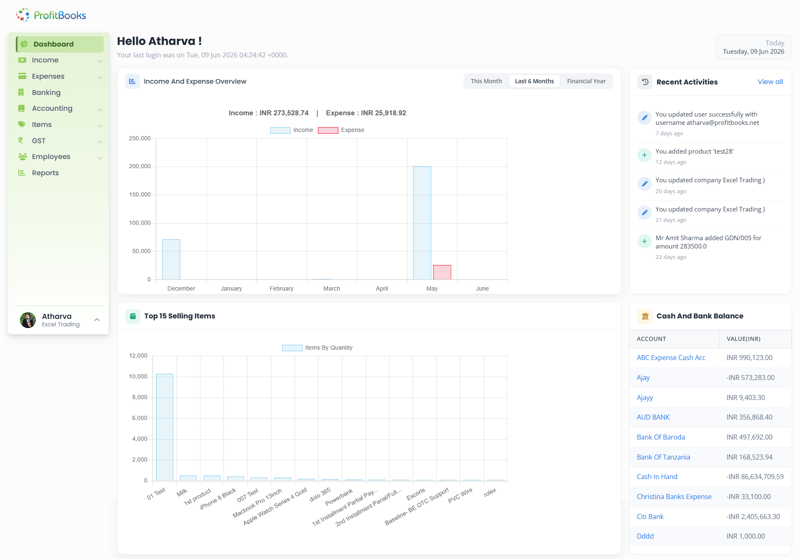
ProfitBooks accounting software running on Mac
Made for Mac users

No downloads and no Windows emulator

Because ProfitBooks lives in the cloud, your Mac is all you need. Open a browser and you're in.

Made for Mac users

Traditional accounting software often means Windows-only installs, or wrestling with Boot Camp, Parallels or a virtual machine just to run it on a Mac. ProfitBooks skips all of that. It's 100% web-based, so it runs natively in Safari, Chrome or any browser on your MacBook, iMac, Mac mini or Mac Studio.

Nothing to download, nothing to update, nothing to break after the next macOS release.

  • Runs in Safari, Chrome & every Mac browser
  • No Windows, Boot Camp or Parallels needed
  • Nothing to install or update on your Mac
  • Works on Apple Silicon (M‑series) & Intel Macs
  • Free plan with no time limit to get started
ProfitBooks accounting software running in a browser on macOS
“I switched to a MacBook and suddenly my old accounting software wouldn't run without a Windows workaround. ProfitBooks just opened in Safari and everything was there. No installs, no fuss — it's the first accounting tool that actually feels at home on my Mac.”
Neha VermaFounder, Verma Design Studio · on Capterra
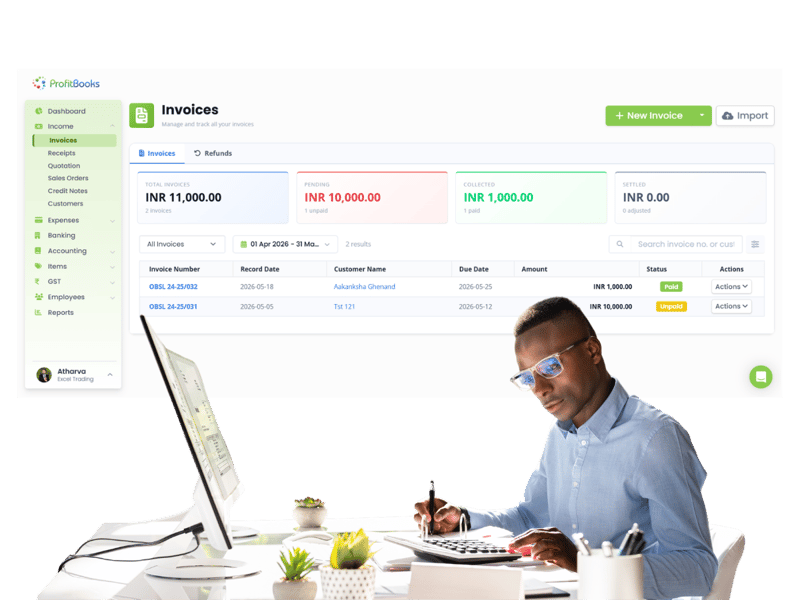
Invoicing on Mac

Send invoices straight from your Mac

Create professional, tax-compliant invoices in your browser and get paid online.

Invoicing on Mac

Professional, tax-compliant invoices

Design branded invoices with your logo and send them in a click, with the correct GST or tax applied automatically. Estimates, quotations, recurring invoices and automatic reminders are all built in.

Get paid online

Add a payment link to every invoice so customers can pay by card or bank transfer, and watch payments reconcile against the right invoice automatically.

  • Automatic tax calculation on invoices
  • Branded templates & your logo
  • Online payment links on every invoice
  • Estimates, recurring invoices & reminders
Creating invoices in ProfitBooks on a Mac
Full accounting

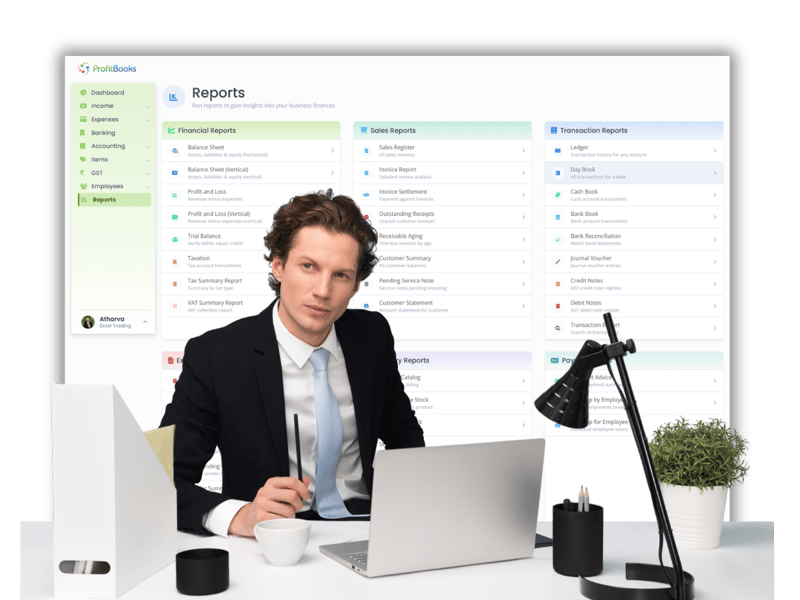
Full accounting and 50+ reports in your browser

Everything a desktop package gives you, without the desktop install.

Full accounting

Real double-entry accounting

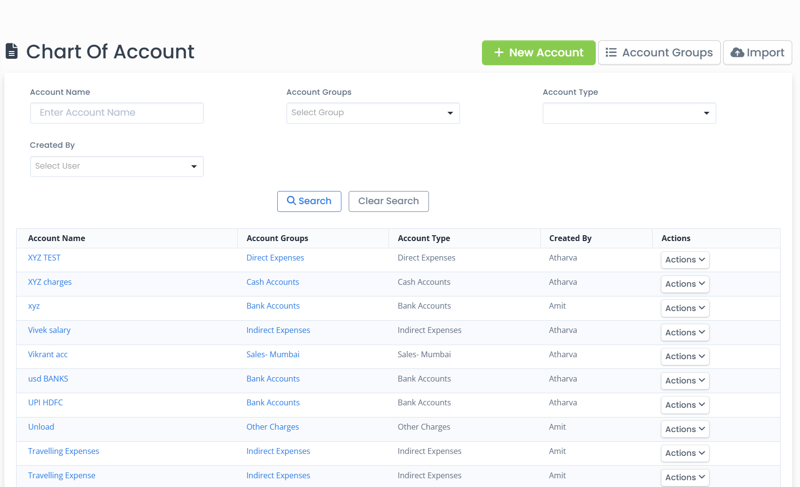
Behind the simple screens sits a full accounting engine with a chart of accounts, journal vouchers, ledgers and trial balance. Your books stay accurate and ready for your accountant.

50+ reports, updated live

Balance Sheet, Profit & Loss, cash flow, tax summaries and aging reports update in real time as you work, and export from your Mac in a click.

  • Chart of accounts, journals & ledgers
  • Balance Sheet, P&L & cash flow
  • Tax summaries & 50+ reports
  • Invite your accountant to log in
Financial reports in ProfitBooks on Mac
Banking and expenses

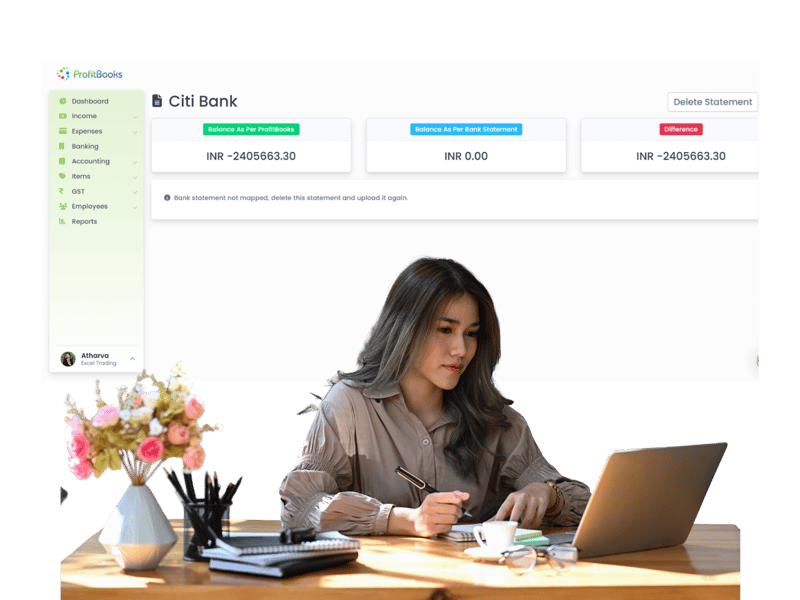
Reconcile the bank and track expenses on Mac

Import statements, match transactions and keep every expense in order.

Banking and expenses

Bank reconciliation

Import your bank statement and ProfitBooks matches transactions to your invoices and bills, so your books always reflect what's actually in the bank. Record deposits, withdrawals and contra entries in seconds.

Stay on top of spending

Log business expenses, purchase bills and vendor payments, and see exactly where the money goes with clear expense reports.

  • Import statements & reconcile easily
  • Record expenses & purchase bills
  • Track vendor payments & advances
  • Clear expense & cash flow reports
Bank reconciliation in ProfitBooks on Mac
Across your Apple devices

One account on your Mac, iPhone and iPad

Start an invoice on your Mac and finish it on your iPhone.

Across your Apple devices

Mac, iPhone and iPad, in sync

Use ProfitBooks in the browser on your Mac and grab the dedicated iPhone and iPad apps for when you're away from your desk. It's one account, one live set of books, synced automatically across every device.

Add your team and accountant

Give team members and your accountant their own logins with role-based access. Everyone works on the same live data, whether they're on a Mac, PC or phone.

  • Browser on Mac + iPhone & iPad apps
  • Automatic sync & cloud backups
  • Role-based access for your team
  • Invite your accountant to log in remotely
Try ProfitBooks For Free →
ProfitBooks synced across Mac, iPhone and iPad

See ProfitBooks running in a browser

A quick walkthrough of invoicing, accounting, bank reconciliation and reports, exactly as they look on your Mac.

ProfitBooksSee ProfitBooks running in a browser Watch the demo Watch on YouTube ↗
Try ProfitBooks For Free →
A complete toolkit

Everything your business needs, in one place

Invoicing, tax, payments, inventory and reports run from the same account on your Mac.

Accounting that runs in the background

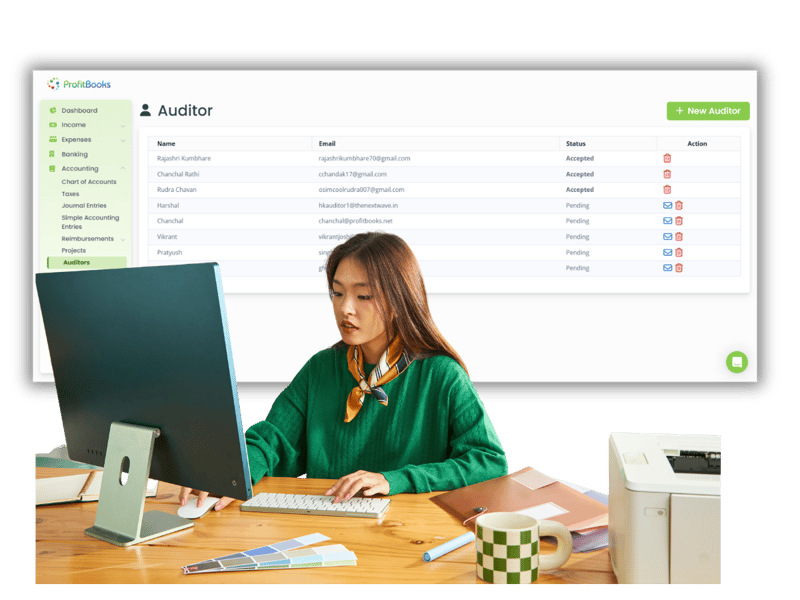
ProfitBooks handles complete financial accounting in the background while you run your business. Chart of accounts, journal entries, project tracking and auditor access, all included.

  • Chart of Accounts
  • Journal Entries & Trial Balance
  • Invite Your Auditor / Accountant
  • Project-wise Categorisation

Explore Feature →

Create invoices in minutes

Create and send professional invoices with the correct tax rates in minutes. Customise templates, track payments and manage your entire sales pipeline from one place.

  • Invoices with Automatic Tax Calculation
  • Estimates, Quotations & Sales Orders
  • Invoice Reminders & Customer Portal
  • Templates & Customisation
  • Sales Reports & Analytics

Explore Feature →

File tax returns directly

File your tax returns directly from ProfitBooks. Your invoices are auto-categorised, purchase data is reconciled, and the filing process takes minutes instead of hours.

  • Automated Tax Return Filing
  • Purchase Reconciliation
  • Amendment Tracking
  • Export Invoice Categorisation
  • Free Filing Assistance

Track every payment in and out

Track your whole financial cycle, from purchase to sale, with 50+ filterable reports. Know your outstanding receivables and payables at any time.

  • Outstanding Receivables Tracking
  • Vendor Payment Management
  • Advance Payment Allocation
  • Customer Statements in 1-Click
  • Customer Portal Access

Explore Feature →

Inventory across warehouses

Track stock across multiple warehouses, record production and wastage, and create purchase orders.

  • Purchase Orders in Tax-Compliant Format
  • Production, Wastage & Stock Transfer
  • Multiple Warehouses
  • Vendor & Outstanding Management
  • In-depth Inventory Reports

Explore Feature →

50+ financial and tax reports

Get every report you need, from Balance Sheet and P&L to detailed tax reports and audit trails, and decide with up-to-date numbers.

  • Balance Sheet, P&L & Cashflow
  • Tax & Compliance Reports
  • Sales & Expense Reports
  • Ledger, Day Book & Transaction Reports
  • Audit Trail & Employee Reports

Explore Feature →

Complete suite

Everything ProfitBooks does

One cloud accounting suite for small and medium businesses, on your Mac and every other device.

Cloud accounting

  • Chart of Accounts & Journals
  • Double-Entry in the Background
  • Trial Balance & Ledgers
  • Auditor / Accountant Access

Invoicing and billing

  • Automatic Tax Calculation
  • Estimates & Quotations
  • Recurring Invoices & Reminders
  • Online Payment Links

Banking

  • Import Bank Statements
  • Easy Reconciliation
  • Deposits & Withdrawals
  • Contra Entries

Expense management

  • Record Business Expenses
  • Purchase Bills & Orders
  • Vendor Management
  • Expense Reports

Receipts and payments

  • Online Payment Collection
  • Record Receipts & Advances
  • Allocation to Invoices
  • Non-Invoice Income

Tax compliance

  • Automatic Tax Calculation
  • Return-Ready Summaries
  • Credit & Debit Notes
  • Tax Code Management

Inventory management

  • Purchase Orders
  • Multiple Warehouses
  • Production & Wastage
  • Inventory Reports

User management

  • Create Multiple Users
  • Role-based Access
  • Special Role For Sales Team
  • Invite Your Accountant

50+ reports

  • Balance Sheet, P&L, Cashflow
  • Tax & Compliance Reports
  • Sales & Expense Reports
  • Audit Trail

Invoice at the client's office. Get paid before you leave.

The ProfitBooks app for iOS and Android puts invoicing, expenses and your dashboard on your phone, always in sync with the web app.

  • Create and send invoices and estimates from your phone
  • Record expenses and payments as they happen
  • Check your dashboard and outstanding dues anywhere

Your success is our success.

We only win when you do. From the day you sign up, real people and practical resources are on your side.

Real peoplenot bots 3 languagesin-app chat Mon–Fri5 days a week

Start free. Upgrade when you grow.

Every new account starts with a free 15-day SMB Pro trial, then moves to the free Startup plan unless you upgrade.

Startup

For trying it out or very small volumes

₹0forever
Start free
  • 1 user
  • 10 invoices a month
  • 10 journal vouchers a month
  • Basic financial reports
  • 1 warehouse

Essential

For solopreneurs filing GST

₹2,499per year
Start free trial
  • 1 user
  • 1,000 invoices a year
  • GSTR-1 and GSTR-3B
  • Invoice reminders and signature
  • WhatsApp integration add-on
Most popular

Growth

For growing teams and service firms

₹4,999per year
Start free trial
  • Everything in Essential, plus
  • 10 users
  • 5,000 invoices a year
  • Payroll and multi-currency
  • 3 warehouses

SMB Pro

For established businesses

₹7,500per year · or ₹750/month
Start free trial
  • Everything in Growth, plus
  • 25 users with custom roles
  • Unlimited invoices
  • Unlimited warehouses
  • Projects and auditor access

Prices exclude GST. Pay by card, net banking, American Express or PayPal. Compare every feature →

Trusted by 1,00,000+ businesses worldwide

From freelancers to growing SMBs, here's what our customers say about ProfitBooks.

“Finally, accounting software that runs on my MacBook without any Windows workaround. It opens in Safari and everything just works — invoicing, reports, the lot.”
Rahul MehtaFounder, Mehta Studio · on Capterra
“I work off a Mac and my accountant is on Windows — with ProfitBooks it doesn't matter. We're both in the same live books, and I can check numbers on my iPhone too.”
Priya SharmaBusiness Consultant · on G2
“No installs, no updates, no Parallels. Just log in from any Mac and it's there. Switching from desktop software to ProfitBooks made my life so much simpler.”
Suresh PatelDirector, SP Ventures · on Software Suggest

Frequently asked questions

Does ProfitBooks work on Mac?

Yes. ProfitBooks is fully cloud-based, so it runs in any web browser on macOS, including Safari, Chrome, Firefox and Edge, on your MacBook, iMac, Mac mini or Mac Studio. There's nothing to install and it works on both Apple Silicon (M-series) and Intel Macs.

Do I need to install anything on my Mac?

No. Because ProfitBooks runs in the browser, there's nothing to download or install. You simply log in at profitbooks.net and start working. There are no updates to manage either, because you're always on the latest version.

Do I need Windows, Boot Camp or Parallels to run it?

No. Unlike Windows-only desktop accounting software, ProfitBooks needs no emulator, virtual machine, Boot Camp or Parallels. It's a web application, so it runs natively in your Mac's browser just like any website.

Which browsers does it support on macOS?

ProfitBooks works with all modern browsers on macOS, including Safari, Google Chrome, Firefox and Microsoft Edge. For the best experience we recommend keeping your browser updated to the latest version.

Can I use ProfitBooks on my iPhone and iPad too?

Yes. Alongside the browser experience on your Mac, ProfitBooks has dedicated iPhone and iPad apps on the App Store. It's one account across all your devices, with your data synced automatically and backed up in the cloud.

Is ProfitBooks free?

ProfitBooks has a free Startup plan with no time limit for a single user, covering invoicing, accounting, expenses and reports. Paid plans start from $9.95 per month when you need multiple users, inventory and advanced features. There are no per-invoice charges.

Does it handle GST, tax and invoicing?

Yes. ProfitBooks creates professional, tax-compliant invoices with the correct tax applied automatically and keeps your data ready for tax returns. It supports GST-style tax across countries including India, UAE, UK, US, Australia, Singapore and Malaysia.

Is my data safe and backed up?

Yes. Your data is stored on secure cloud servers with encryption, automatic backups and role-based access control. Unlike desktop software where your books live on one Mac's hard drive, cloud storage means your data stays safe even if a device is lost or damaged.

Run your accounting on your Mac

Invoicing, accounting, bank reconciliation and 50+ reports in your Mac's browser, synced with your iPhone and iPad. No installs and no Windows workarounds.

Try ProfitBooks For Free →
  • Runs in Safari & Chrome on macOS
  • No installs or Windows workarounds
  • Invoicing with automatic tax
  • Bank reconciliation & 45+ reports
  • iPhone & iPad apps, always in sync
  • Invite your accountant free

Your books could be up to date before the day ends.