Transfer stock between warehouses
Create a stock transfer document and move stock between your warehouses.
ProfitBooks warehouse management software (WMS) tracks sales orders and deliveries across multiple warehouses. Receive stock into the warehouse you choose, transfer stock between locations, fulfil orders from the warehouse closest to the customer and check warehouse-wise stock reports, all connected to your accounting.
No credit card required.
Run your warehouse operations from ProfitBooks.
ProfitBooks online warehouse management software (WMS) simplifies your inventory workflow and helps you fulfil orders.
You can manage multiple warehouses, transfer stock between them and generate reports to get better insights about stock movement.
The inventory system connects with receivables, cash management and inventory, so you never enter the same information twice.
See the features below, then sign up for a free trial.
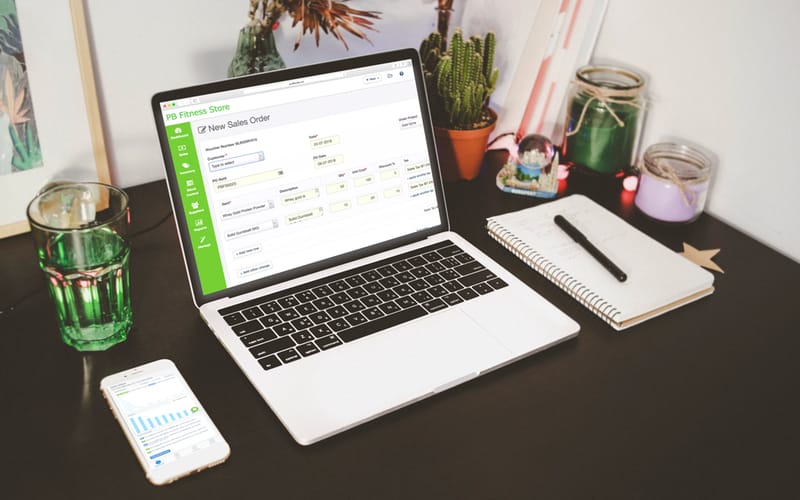
Manage operations from the time materials enter a warehouse until they move out.
Create purchase orders, plan re-orders and track supplies with the ProfitBooks purchase order system.
Email purchase orders to your vendors in one click, and assign the stock to a warehouse when you record the purchase.
Track sales orders and manage deliveries with the order management system. Pick the warehouse closest to the customer when you create the sales order, so you can deliver faster.
Track inventory flow across multiple locations in one place.
Create a stock transfer document and move stock between your warehouses.
Specify the warehouse where you wish to receive the stock while creating purchase orders.
Specify the location you wish to send goods from while creating sales orders or invoices.
Check warehouse-wise stock, inventory value, low stock and more.
Record stock transfers between warehouses, stock wastage, raw material consumption and production of finished goods, all from one simple screen.
Organise products in different batches and specify batch numbers, manufacturing date and expiry dates. This helps if you manufacture goods or deal with perishables.
Keep your vendor records and dues in one place.
Save money and time when you buy by placing purchase orders with your preferred suppliers more often.
Cut manual data entry and open the reports you need in a few clicks.
ProfitBooks posts real-time accounting journals automatically at each stage of an order's lifecycle.
Revenue, taxes, expenses and cost of goods sold are recognised automatically, so your P&L, balance sheet and accounts payable reports stay up to date without manual work.
Track down errors, guard against fraud and stay on top of what is happening in your business.
Create multiple warehouses to store inventory, and call them Store, Location or Godown, whichever suits your business.
Add multiple users and give each one a role. For example, an employee with 'inventory manager' role can only access the inventory function.
ProfitBooks Trade supports all the major currencies. You even get a report that shows gain or loss due to currency fluctuation.
Sample figures for illustration
Features that save time as you grow.
ProfitBooks cuts costs and saves time across your ordering process.
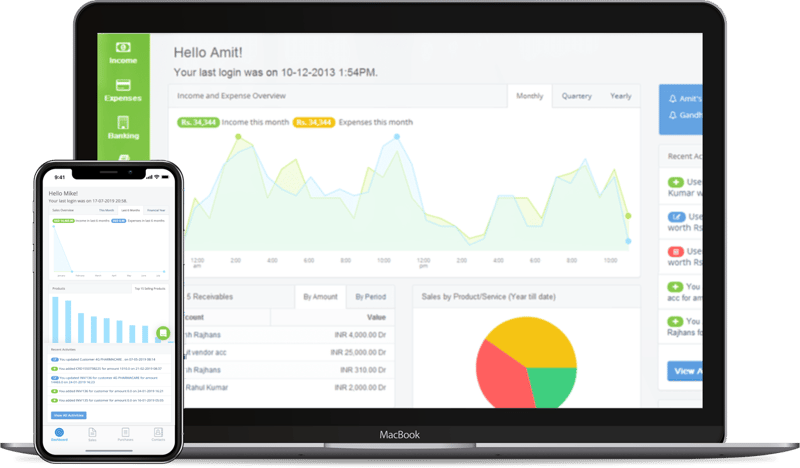
Watch how ProfitBooks Trade helps you manage inventory and systemise your operations.

Invoicing, inventory, tax and reports all work from the same books.
We only win when you do. From the day you sign up, real people and practical resources are on your side.
Every new account starts with a free 15-day SMB Pro trial, then moves to the free Startup plan unless you upgrade.
For trying it out or very small volumes
For solopreneurs filing GST
For growing teams and service firms
For established businesses
Prices exclude GST. Pay by card, net banking, American Express or PayPal. Compare every feature →
Try ProfitBooks inventory management software free for 15 days on the SMB Pro plan, then choose the plan that fits, including the free one.
Start your free trial nowNo credit card required.